How to add a new organisation (onboarding)
Organisations can onboard themselves. However, if you need to manually add a new organisation or approve a new public sector email domain, you use the Admin Portal.
The primary method for a support team member is not to ‘add’ a full organisation, but to ‘allow list’ their email domain, which then permits their staff to sign up for admin accounts and end-user accounts.
- Log in to the GovWifi Super Admin site with your admin credentials. You will see the main dashboard with a list of all organisations.
Navigate to the ‘Allow list’ In the left-hand navigation menu, click on ‘Allow list’.
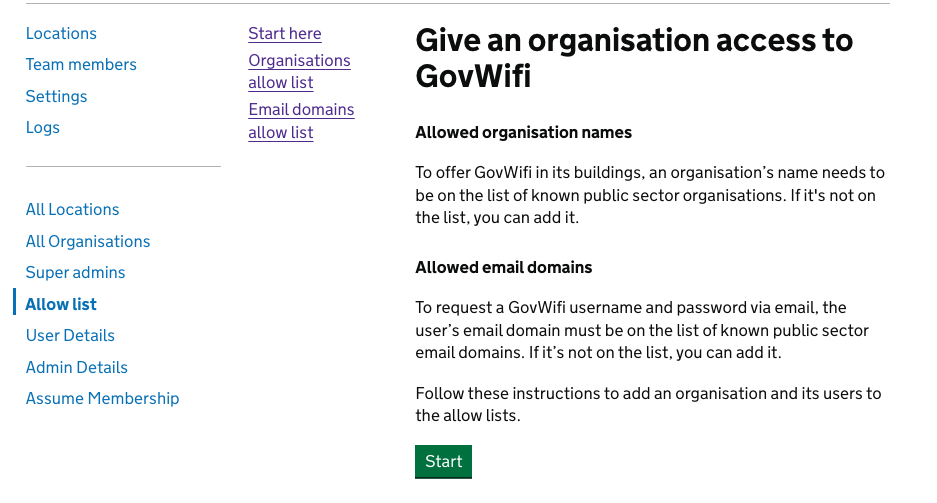
- Use the organisation name search on the allow list start page.
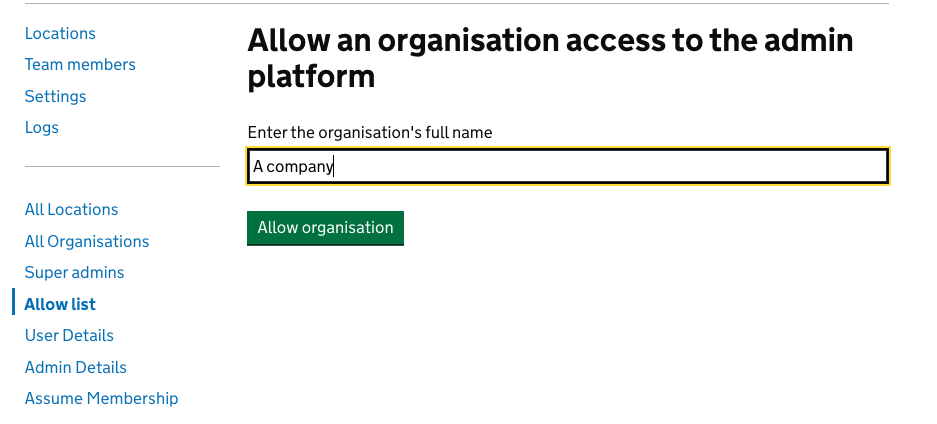
If the name appears, check whether the correct email domains are already listed.
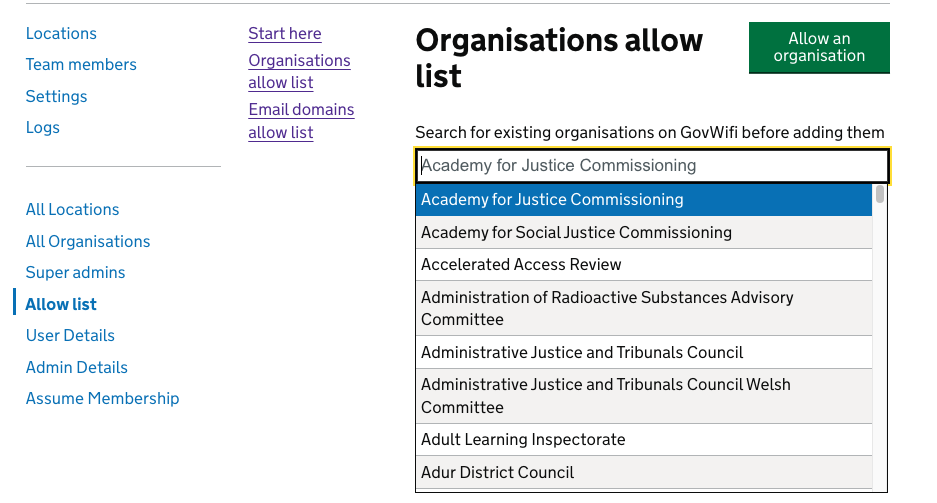
How to add an organisation on the allow list
-
Navigate to the ‘Allow list’ In the left-hand navigation menu, click on ‘Allow list’.
-
Only add a new organisation or domain if it does not already exist.
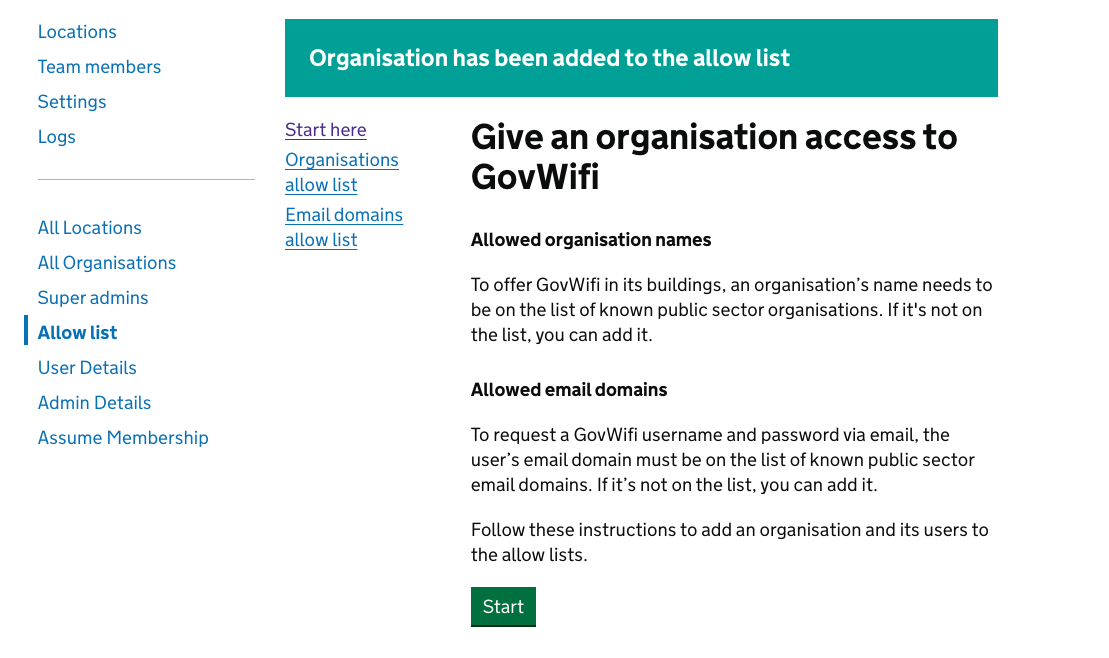
Once the organisation has been successfully added the following banner will appear:
If the organisation needs to create a GovWifi admin account
- Navigate to the ‘Allow list’ In the left-hand navigation menu, click on ‘Allow list’.
- Then select ‘Yes’ from the options
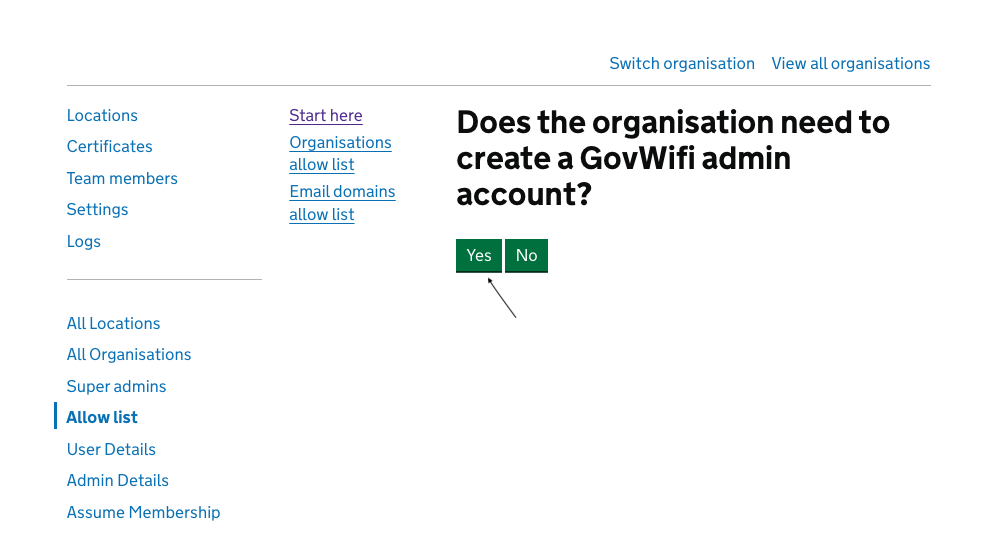
- Add the name you wish to register, then select ‘Yes’
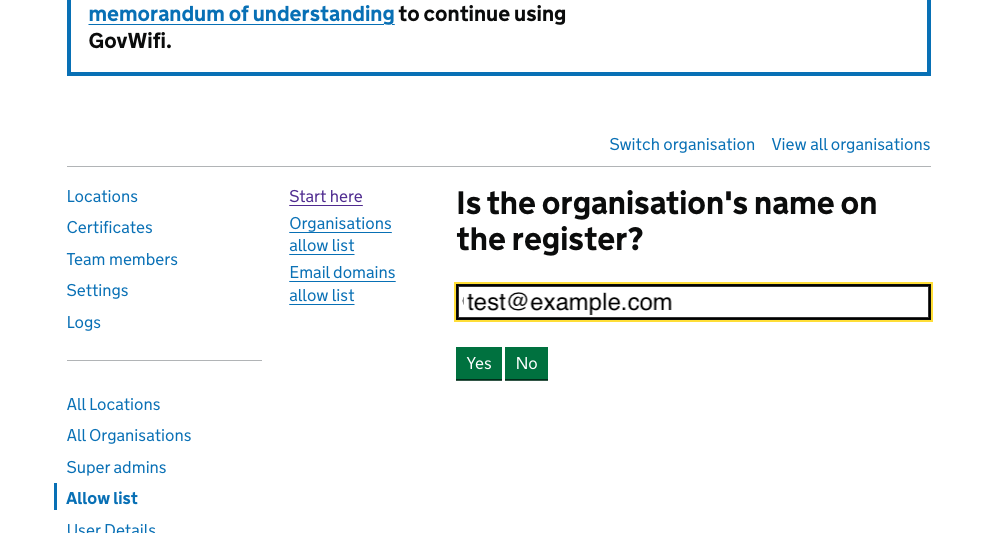
-
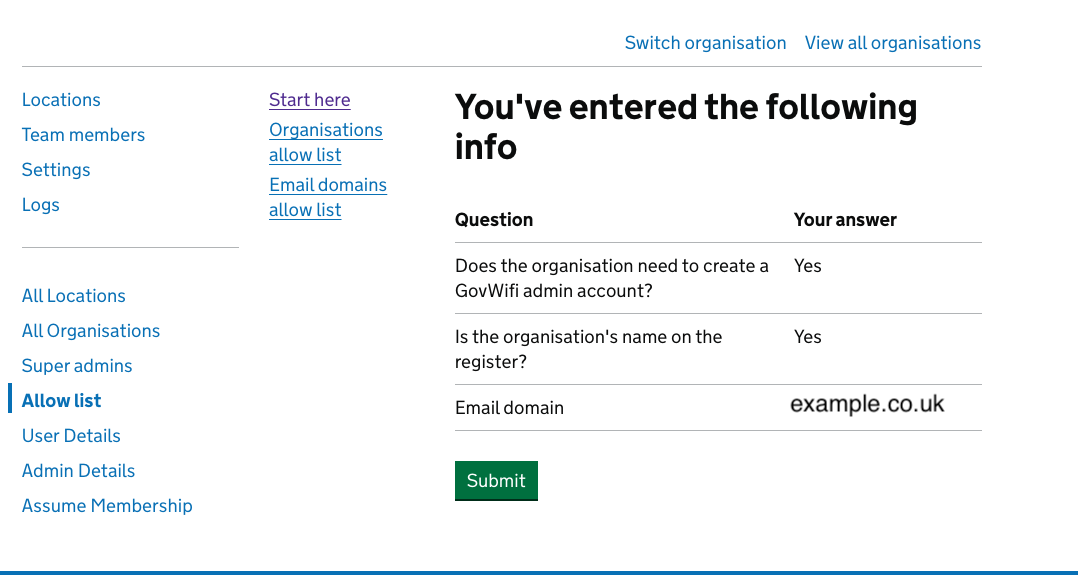
A confirmation screen will then appear with the information
- A confirmation banner will appear once the organisation has been added to the allow list
- Once the domain is on the ‘allow list’,the organisation’s IT administrator can now go to the standard GovWifi Admin sign-up page and successfully create their account
If the organisation’s email is already included in the allow list (e.g. NHS)
-
Navigate to the ‘Allow list’ In the left-hand navigation menu, click on ‘Allow list’.
-
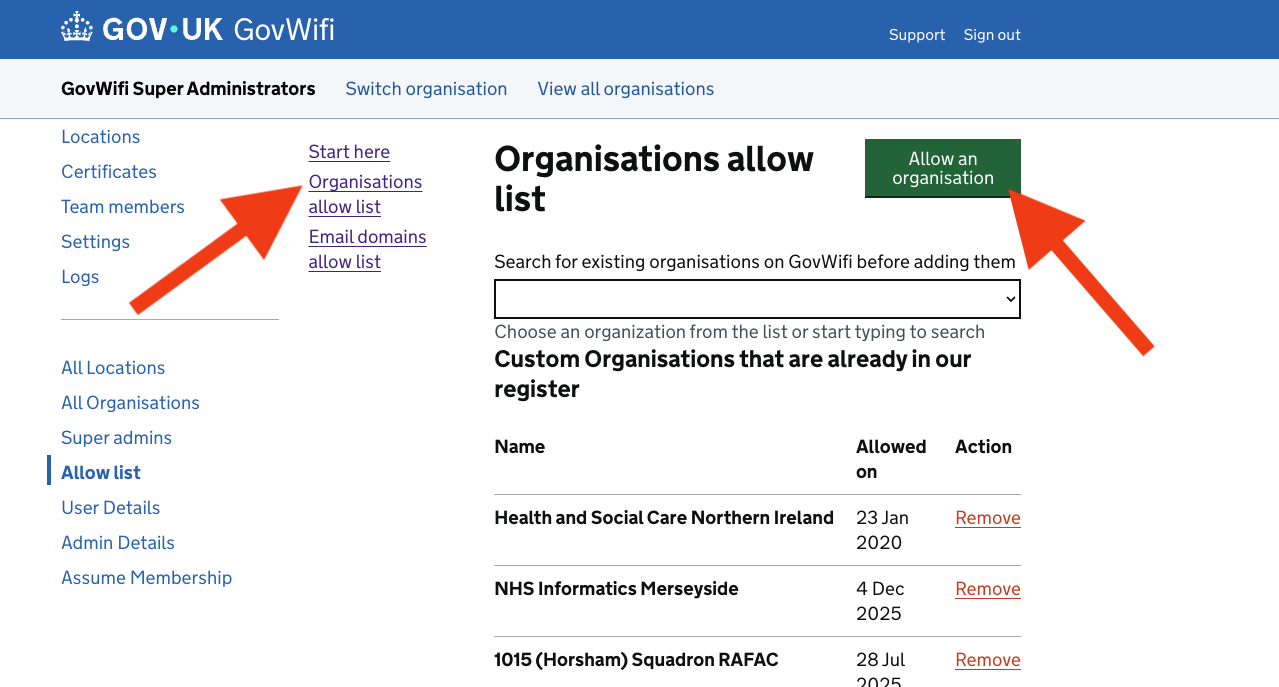
Click on “Organisations allow list”
-
Select the green “Allow an organisation” button
Developer Notes!!
- Adding to the allow list will not show the organisation on the organisation public list yet.
- The organisation is not created when it is added to the allow list.
- The new administrators must follow the Sign-up Link to create the organisation.
- When the organisation is created, it will be added to the organisations.yml by the admin publish_organisation_names rake task at 22:00 UTC daily.
If the organisation already has a GovWifi admin account
-
Navigate to the ‘Allow list’ In the left-hand navigation menu, click on ‘Allow list’.
- Then select ‘No’ from the options. A confirmation screen will then appear with the information
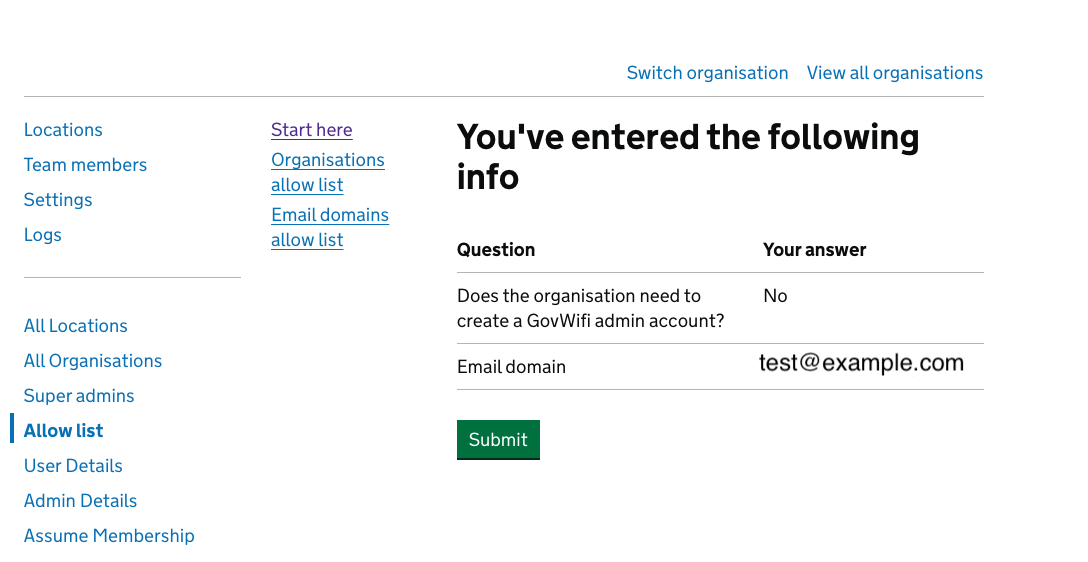
- A confirmation banner will appear once the organisation has been added to the allow list
Organisations are added via a rake task that runs at 10pm. This means that they will not appear immediately on the allow list.