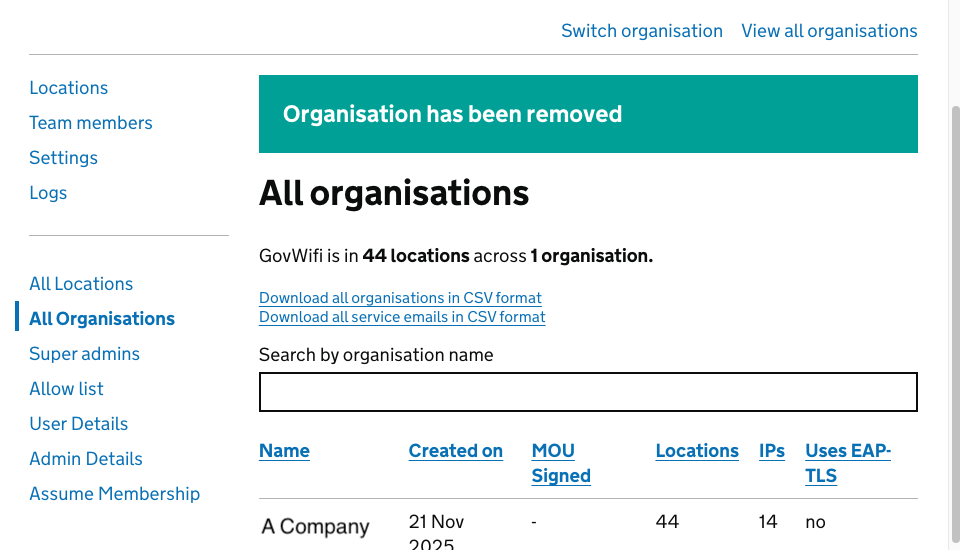
How to delete an organisation
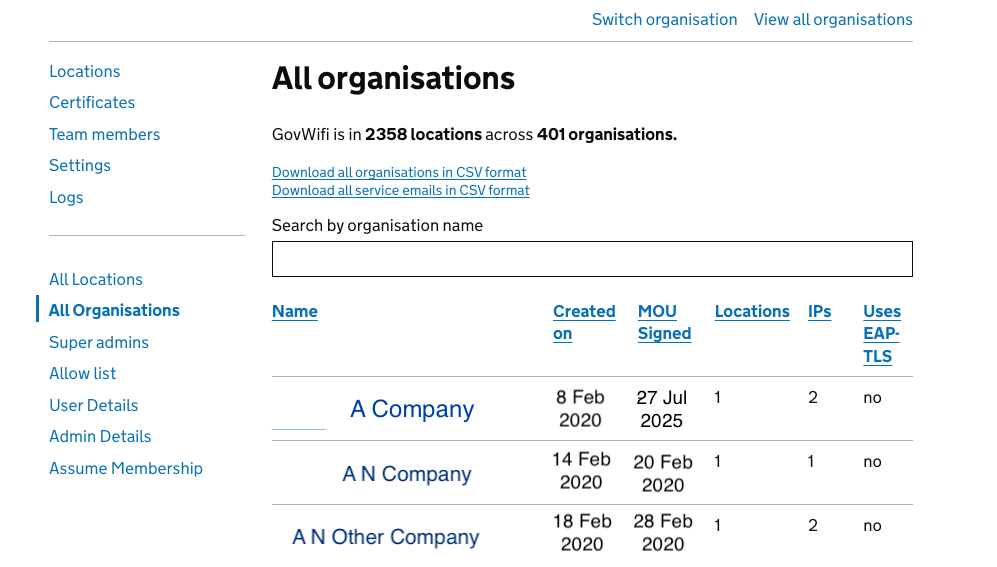
- Navigate to the All Organisations tab on the left-hand sidebar.
- Browse the list or use the ‘Search by organisation name’ search bar to find the specific company you wish to remove.
- Click on the Name of the organisation (e.g. ‘A Company’) to open its details page.
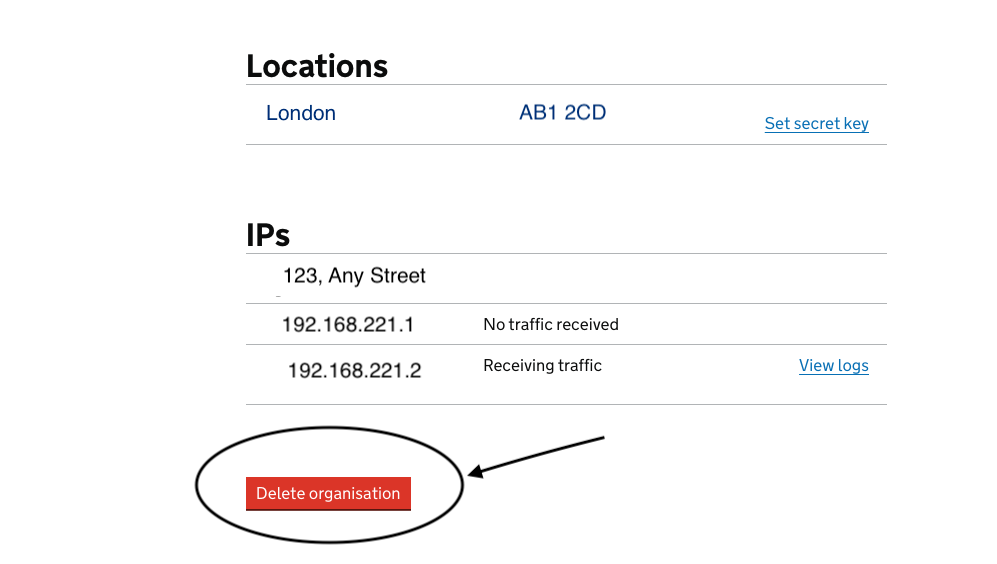
- On the organisation’s details page, verify you are viewing the correct entity by checking the location details.
- Scroll down to the very bottom of the page, below the ‘IPs’ section.
- Click the red delete organisation button.
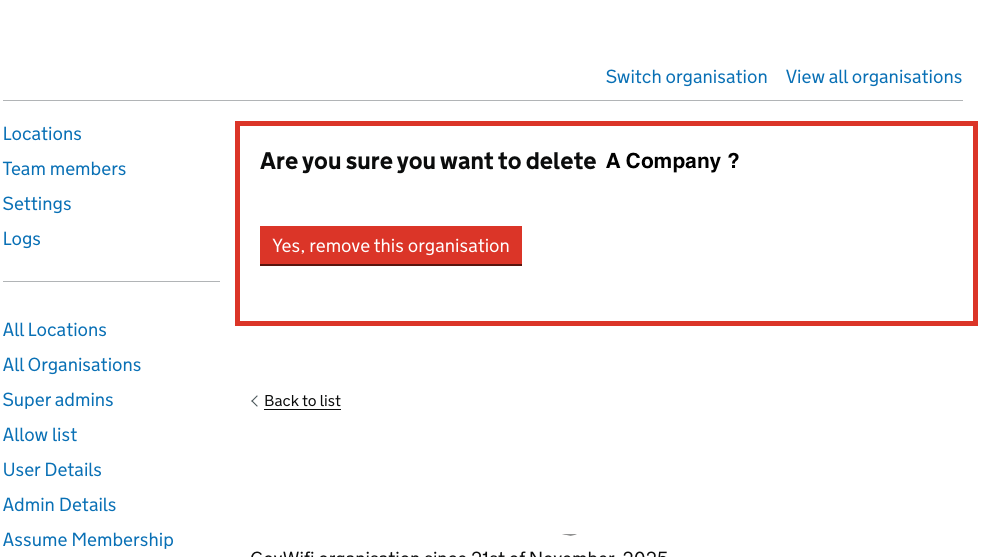
- A confirmation dialog will appear. Read the warning message carefully.
Look for a confirmation banner at the top of the screen displaying the message: “Organisation has been removed”.
You can search for the organisation name again to ensure it no longer appears in the list.